Wie du weißt, hat PUBG Mobile ein sehr breites Spielerprofil. Deshalb erschien PUBG Mobile Lite – eine Version mit geringeren Anforderungen, die das Spiel auch auf Geräten mit schwächerer Hardware ermöglicht. Auch dieser Titel hat eine große Spielerbasis.
Spieler können mit der Ingame-Währung BC Skins für ihre Charaktere, Waffenskins und verschiedene Fallschirm-Designs kaufen. So wie es in der regulären Version von PUBG Mobile UC gibt, werden in PUBG Mobile Lite Battle Coins verwendet.
Wo kann man PUBG Mobile Lite BC kaufen?
Du kannst PUBG Mobile Lite BC über Kopazar.com kaufen und dir damit die gewünschten Ingame-Inhalte holen. Mit den erworbenen Battle Coins gibst du frei aus, was du möchtest, und hebst dich von deinen Mitspielern ab. PUBG Mobile Lite bietet über BC viele Anpassungsmöglichkeiten – genau deshalb kaufen Spieler, die ihr Erlebnis verbessern wollen, BC und nutzen diese Optionen. Nutze die Vorteile von Kopazar, kauf deine PUBG Mobile Lite BC und steig jetzt ins Spiel ein.
How to Redeem PUBG Mobile Lite BC
-
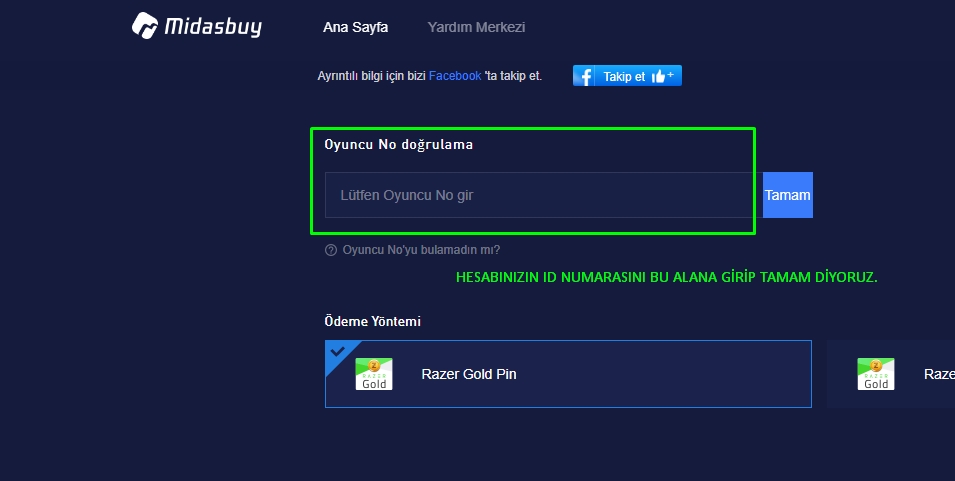
Go to the address: https://www.midasbuy.com/tr/buy?appid=1450017788.
-
In the Player ID Verification section, enter the ID that appears when you click on your profile in the game and press the "OK" button.
-
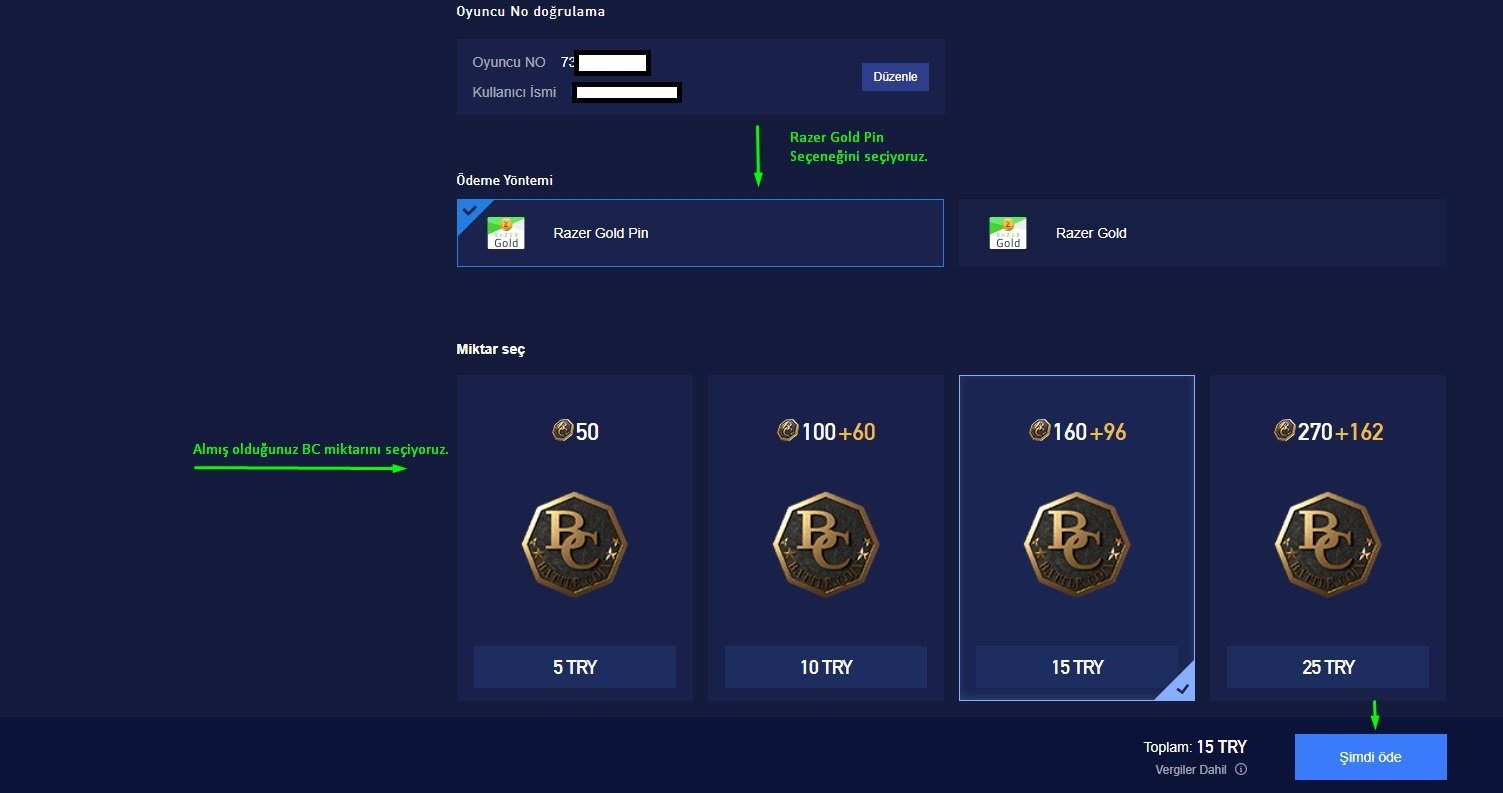
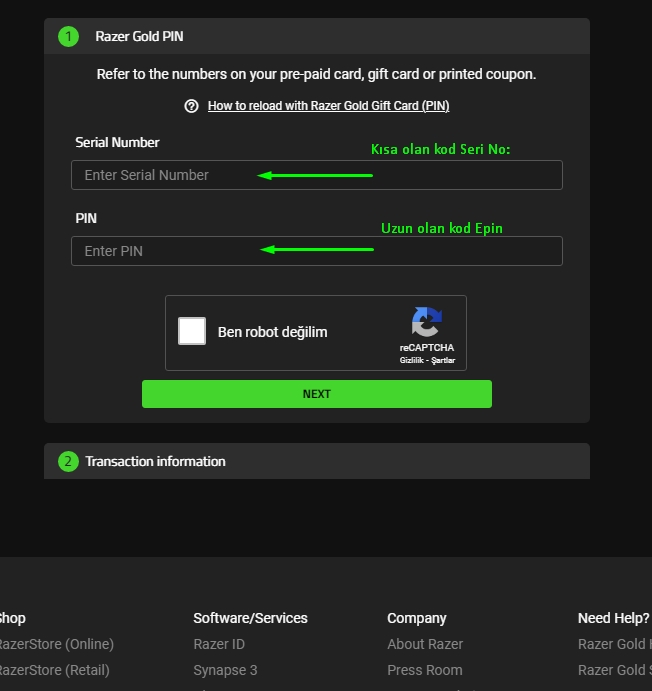
From the payment method options, select Razer Pin, choose the amount you want to load, and click the "Pay Now" button.
.jpg)


The Lite Version Is a Separate Game
PUBG Mobile Lite is a separate application built for lower-end devices. It does not share an account or a balance with standard PUBG Mobile.
This is the most common mistake with PUBG products: UC bought for PUBG Mobile does not appear in the Lite version. The two apps install separately, use separate accounts, and their balances are independent. Check which app is installed on your phone before buying.
How to Pick the Right Product
- If the app icon says "Lite", buy the products on this page.
- For the standard version go to PUBG Mobile UC.
- New State is a different game; for that see PUBG New State NC.
- For all PUBG products visit the PUBG page.
Before the Top-Up
Top-ups use your in-game user ID. Copy and paste it from the profile section; an incorrect ID sends the top-up to another account and it cannot be recovered.
ödeme sonrasi kod direkt geldi