
Knight Online is an MMORPG played in Turkey for many years and also available through Steam. Steam Cash is the balance used on the Steam version of the game, spent on premium membership, in-game items and store products.
Steam Version vs Standard Version
The balance on an account played through Steam is separate from one played through the standard client. Steam Cash is valid only on the Steam version and cannot be exchanged with Knight Cash bought for the standard version. This is the most common confusion among Knight Online products, so confirm which version you play before buying.
What You Will Find on This Page
This category lists the balance packages valid for the Steam version. Package options and amounts are updated in real time, so check the list on this page for current details.
Other Knight Online Products
Reach all products from the Knight Online page, or see Knight Online GB, Knight Online Premium and Knight Online Item.
Knight Online – how to buy Knight Cash
Knight Cash (KC) is the digital currency used in Knight Online to develop your character and buy in-game items. With the Steam balance you buy from Kopazar you can get Knight Steam Cash. Here is how to buy it through Steam:
Step 1: choose the amount

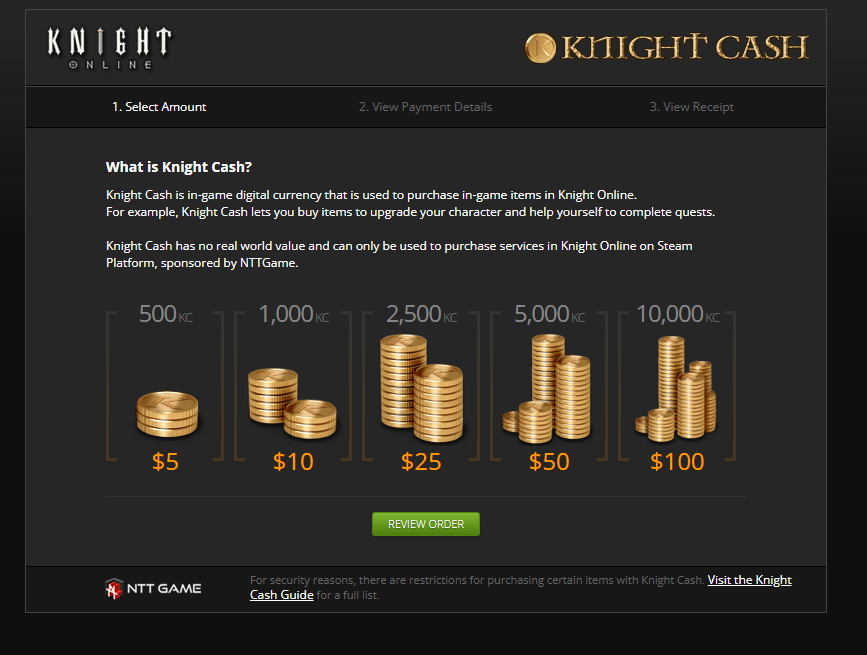
On Knight Online's official payment page you are met by the"Select Amount"step. There are five packages to choose from:
| Knight Cash |
Price |
| 500 KC |
$5 |
| 1.000 KC |
$10 |
| 2.500 KC |
$25 |
| 5.000 KC |
$50 |
| 10.000 KC |
$100 |
Pick the package you want and click"Review Order".
Step 2: order summary

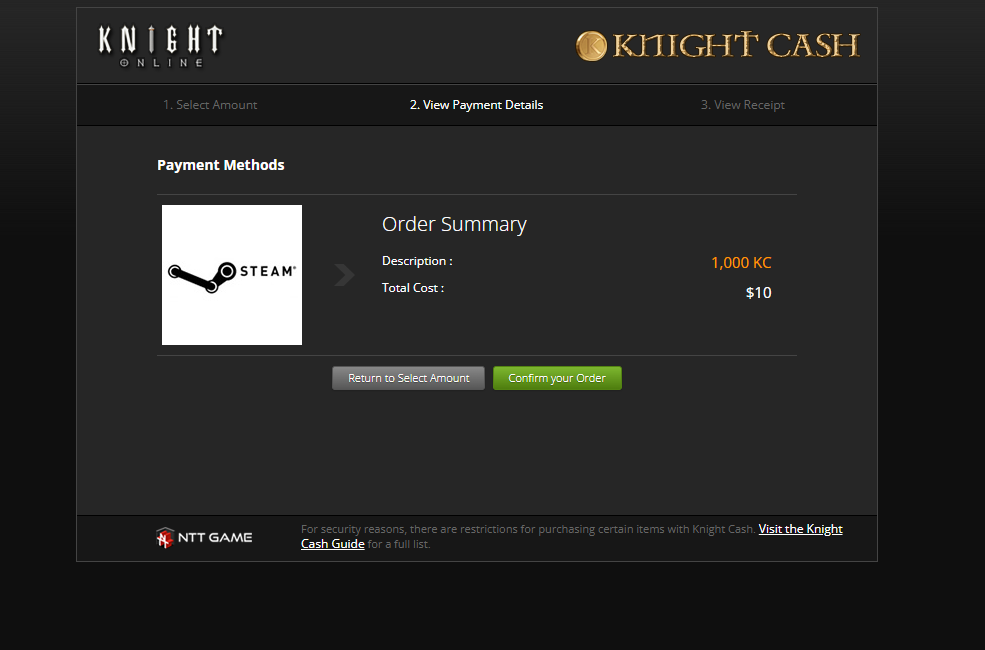
The payment method shown isSteam. Your package and the total are summarised. To continue, press"Confirm your Order".
Step 3: Steam confirmation

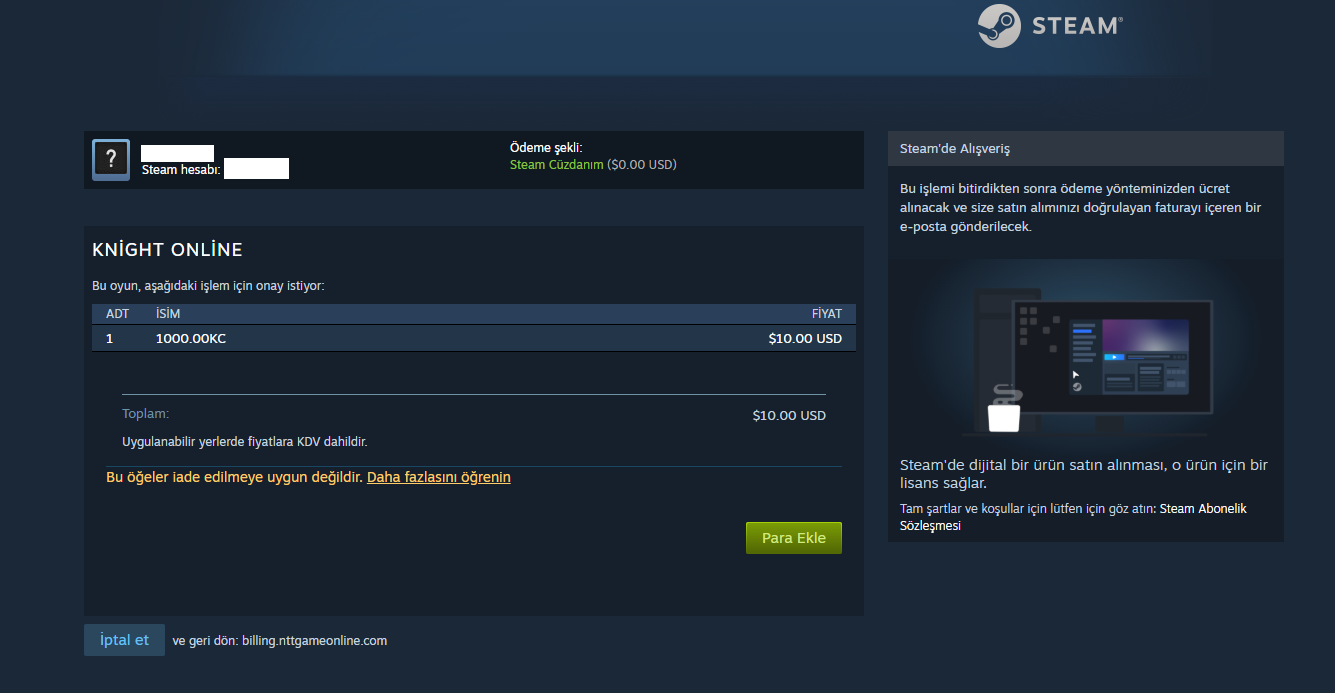
You are taken to Steam's own payment screen, where:
- the payment methodshown is your Steam Wallet.
- The amount of KC and the price in USD are listed.
- "Add funds"or the directbuybutton completes the purchase.
With the code you buy from Kopazar you can add funds to Steam and buy Cash easily.
Hızlı ve güvenilir bir şekilde oyunu satın alabildim.